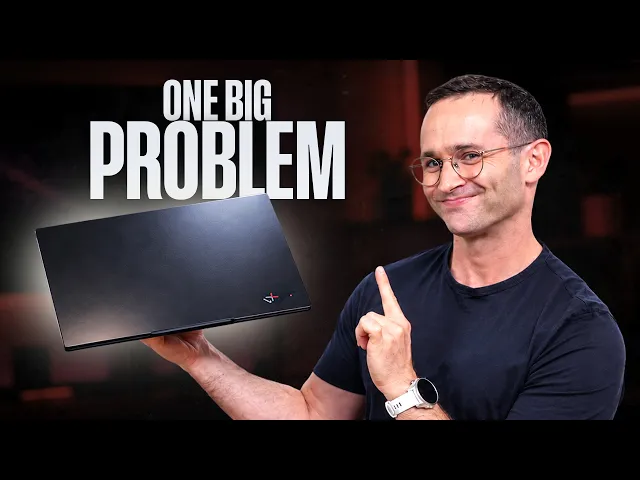
Lenovo ThinkPad X1 Carbon Gen 14: Great Laptop, One Big Problem
November 4, 2026
|
The Lenovo ThinkPad X1 Carbon Gen 14 combines an incredibly lightweight design with a fantastic OLED display, but its performance leaves us wanting more.
Summary
Our ThinkPad X1 Carbon Gen 14 review covers its lightweight design, OLED display, battery life, and why disappointing performance holds it back.
Table of contents:
After spending a month daily driving ASUS's ExpertBook Ultra, I switched straight over to Lenovo's ThinkPad X1 Carbon Gen 14. Both are the most premium business laptops from their respective manufacturers, making this an interesting comparison.
Overall, I really enjoyed the X1 Carbon. It's incredibly lightweight, has a fantastic OLED display, improved ports, a larger trackpad, and good speakers. It also stays cool and quiet during everyday use.
But there's one major problem: performance. While basic office applications and web browsing generally felt responsive, the laptop struggled when anything more demanding was happening in the background. On several occasions, YouTube videos started stuttering while OneDrive or Dropbox were syncing large amounts of files. I even noticed slowdowns when installing applications.
Lenovo is trying to deliver an extremely lightweight laptop that stays cool and quiet while still performing well. Unfortunately, something has to give, and in this case, it's performance.
If you're sticking to basic office work, this is a great laptop. But if you're a programmer, content creator, or someone regularly running demanding applications, I'd look elsewhere.
Incredibly Lightweight and Well-Built
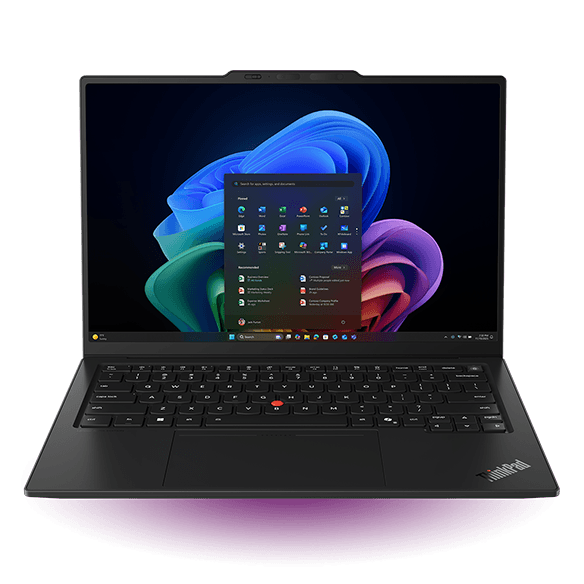
At first glance, the Gen 14 looks almost identical to its predecessor. It's still a traditional black ThinkPad with a soft-touch finish and excellent build quality.
But it's incredibly lightweight. Our unit weighs just 977 grams, making it one of the lightest premium 14-inch laptops I've tested. Even ASUS's lightweight ExpertBook Ultra weighs 1,115 grams.

At just 977 grams, the ThinkPad X1 Carbon Gen 14 is one of the lightest premium 14-inch laptops we've tested.
The chassis also does a reasonably good job of resisting fingerprints, although the ExpertBook Ultra does better thanks to its different materials.
Lenovo has made some welcome changes to the ports, replacing one USB-A port with a third Thunderbolt 4 USB-C port on the right side. This means you can finally charge or dock the laptop from either side.
The power button has also moved from the side to the keyboard, preventing accidental presses when picking up the laptop. Its integrated fingerprint reader has allowed Lenovo to bring back the right Control key.
Much Better Repairability
Perhaps the biggest change is under the hood. Lenovo has redesigned the internals with what it's calling its Space Frame design, making the laptop considerably easier to service.
The battery is now cableless and can be replaced by removing just one screw. The ports, fans, and SSD are also replaceable, with service guides available on Lenovo's website.
The Wi-Fi card is still soldered, but it supports Wi-Fi 7 with the full 320MHz channel width.
This is a big win for corporations managing thousands of laptops. For regular consumers who upgrade every few years, however, it's less beneficial.
It's also not quite the same approach as Framework, where you can upgrade the motherboard to one with a newer processor.
Keyboard and Trackpad
ThinkPads used to have some of the best keyboards around, but I don't think that's the case anymore.
The Gen 14's keyboard has noticeably more resistance when pressing the keys. This makes typing quieter, but I found our fingers getting tired during longer sessions. On a few occasions, I didn't even press hard enough for a key to register.
I could probably get used to it, but it's disappointing to describe a ThinkPad keyboard as just fine.
Thankfully, the trackpad is a significant improvement.
Older X1 Carbons had relatively small trackpads because the dedicated TrackPoint buttons took up valuable space. This year's mechanical trackpad is considerably larger, and I rarely found our fingers hitting the top edge while scrolling.
It still has a little more surface resistance than I'd like, but tracking was accurate, and I had no problems playing several rounds of Teamfight Tactics using only the trackpad.
Lenovo also offers an optional haptic trackpad. However, I've experienced palm rejection issues with haptic trackpads on Windows laptops, something we didn't encounter with this mechanical one. So, we'd think twice before upgrading.
Fantastic OLED Display
Our review unit came with a 2880x1800 OLED display, and it's excellent.
Colors look vibrant, and the high pixel density makes small text incredibly crisp. I could even reduce Windows display scaling to fit more information on screen while keeping everything readable.
The OLED supports a variable refresh rate from 30Hz to 120Hz, whereas the lower-resolution IPS option is limited to 60Hz. At the time of our review, there wasn't much of a price difference, so I'd definitely choose the OLED.
In our brightness testing, it reached 541 nits, a good improvement over the Gen 13's 408 nits.

The X1 Carbon Gen 14's OLED display reaches 541 nits, a noticeable improvement over the previous generation.
Lenovo's anti-glare coating also does a good job of reducing reflections, although I noticed slightly more than on the previous generation.
ASUS's ExpertBook Ultra does even better thanks to its matte tandem OLED display, but content can look a little grainy on that screen. That's much less noticeable here.
The X1 Carbon's speakers are also very good, with clear audio, balanced frequencies, and a reasonable amount of bass. Just be aware that the downward-facing speakers lose some quality when obstructed.
Performance: The Biggest Weakness
Unfortunately, performance is where the ThinkPad X1 Carbon Gen 14 disappoints.
Our review unit came with Intel's Core Ultra 7 355 processor, and in Geekbench 6, which tests common CPU tasks, it finished near the bottom of our comparison.
Its multi-core score of 11,272 is barely ahead of last year's Gen 13 at 11,061. Meanwhile, the ExpertBook Ultra scores 16,491, and Apple's MacBook Pro 14 with the M5 Pro reaches 26,214.

The X1 Carbon Gen 14 offers almost no improvement over its predecessor in Geekbench 6, falling well behind competing premium laptops.
In Cinebench 2026, which tests the processor under a heavier workload, I see a more noticeable improvement over the previous generation.
The Gen 14 scores 2,490 in multi-threaded performance, compared to 1,989 for the Gen 13. That's an improvement of around 25%, but it's still far behind competing laptops.

The Gen 14 improves multi-threaded performance by around 25% over its predecessor, but still trails competing laptops.
Part of that improvement comes from Lenovo feeding the new processor more power.
The Gen 14 averaged 31 watts during Cinebench, compared to 25 watts for the previous generation. Meanwhile, Dell's XPS 14 with the higher-performance Core Ultra X7 358H averaged just 28 watts while delivering considerably better performance.

The Gen 14 uses more power than its predecessor, despite delivering significantly less performance than competing laptops.
What's frustrating is that these results aren't just disappointing on paper. The slowdowns I experienced during everyday multitasking suggest this laptop has very little performance headroom.
If you're regularly compiling code, working with large datasets, or running demanding applications, I'd strongly recommend something more powerful.
Heat and Fan Noise: The Upside to Lower Performance
The benefit of Lenovo's conservative performance approach is that this laptop stays remarkably quiet.
During our everyday use, I never heard the fans. Even under maximum load, the X1 Carbon remains relatively quiet.
The downside is that its CPU cores run very hot under sustained workloads, averaging 91°C during Cinebench compared to 81°C on the previous generation.

Despite its relatively weak performance, the X1 Carbon Gen 14's CPU runs hotter than the previous generation.
Fortunately, those high internal temperatures don't translate into an uncomfortable chassis.
I measured a maximum keyboard temperature of just 41°C and an underside temperature of 39°C. Both are cooler than the Gen 13 and the ExpertBook Ultra.

Lenovo does an excellent job of keeping the chassis cool, with lower surface temperatures than the previous X1 Carbon.
Fan noise was also relatively low at 47 decibels, compared to 51 decibels from the ExpertBook Ultra.

The X1 Carbon Gen 14 remains relatively quiet under heavy workloads, producing just 47 decibels of fan noise.
So, Lenovo has successfully delivered a cool and quiet laptop. It's just sacrificed a considerable amount of performance to achieve that.
Graphics Performance: Worse Than Last Year
Unfortunately, the Gen 14's integrated graphics are actually worse than the previous generation.
In 3DMark Time Spy, a DirectX 12 gaming benchmark, it scored just 3,027 points in the GPU test. That's considerably behind the Gen 13's 3,814 points, and less than half the ExpertBook Ultra's 6,777.

The Gen 14's integrated graphics perform worse than last year's model and fall well behind the ExpertBook Ultra.
I was still able to play League of Legends without any problems, so older and less demanding games should be fine.
However, don't expect to run modern AAA titles or do intensive graphics work. There are considerably better options for that.
Battery Life: Just Average
Given its low-powered processor, you might expect the X1 Carbon to have outstanding battery life. Unfortunately, that's not the case.
Its relatively small 58Wh battery is likely one of the reasons Lenovo has managed to keep the laptop so light.
In our office productivity battery test, with the display set to 300 nits and Wi-Fi and Bluetooth enabled, it lasted 9 hours and 53 minutes.
That's only 48 minutes longer than the considerably more powerful ExpertBook Ultra, while the Framework 13 Pro managed an impressive 15 hours and 22 minutes.

The X1 Carbon Gen 14 lasts 9 hours and 53 minutes in our office battery test, only slightly longer than the more powerful ExpertBook Ultra.
I recommend bringing a small USB-C charger if you're planning on working through a long flight.
One important note: our results suggest a significant battery life improvement over the Gen 13. However, our battery testing software was experiencing issues, preventing us from reliably retesting those results. Because of that, I can't confidently say the new model lasts longer than its predecessor.
Who Should Buy the X1 Carbon Gen 14?
Overall, I really enjoyed using this laptop. It's exceptionally lightweight, beautifully built, and has a fantastic OLED display. The improved trackpad, ports, and repairability are all welcome upgrades.
But it's expensive, and its limited performance makes that price difficult to justify. At the time of our review, US buyers were also forced to configure it with 32GB of memory, increasing the price further despite its relatively weak processor.
If you want a premium, incredibly lightweight laptop exclusively for basic office tasks, the X1 Carbon Gen 14 is a great choice. Otherwise, I'd consider these alternatives:
- ThinkPad X1 Carbon Gen 13: If you can find it significantly cheaper, it's about 90% of the experience. You're mainly giving up the larger trackpad, improved ports, and easier servicing.
- ASUS ExpertBook Ultra: Our pick if you want something similarly compact but need considerably more performance. Once similarly configured, its price isn't that far from the ThinkPad.
- ThinkPad X9 15p: A better choice for productivity if you want a larger 15.3-inch display while maintaining good portability.
- MacBook Pro 14 with M5 Pro: By far the most powerful option here, provided you're comfortable using macOS.
- Framework 13 Pro: Worth considering for its upgradeability, repairability, performance, and Linux support.