MacBook Pro ProLed XDR Review: Stunning OLED, One Big Concern
November 25, 2026
|
Apple's redesigned MacBook Pros feature stunning tandem OLED displays, but our testing revealed unusually strong PWM flickering that could be a concern for sensitive users.
Summary
Our MacBook Pro ProLed XDR review covers the OLED display, PWM flickering, improved battery life, lighter chassis, and whether the upgrade is worth it.
Table of contents:
Better in Almost Every WayThinner and Lighter, Without Sacrificing PerformanceThe Trade-Off: More Heat Under Heavy LoadsBattery Life: A Surprisingly Big ImprovementTandem OLED: An Incredible DisplayIs the Nano-Texture Upgrade Worth It?PWM Flickering: The Biggest ConcernTouchscreen, Notch, and Face IDKeyboard and Speakers: Welcome ImprovementsWebcam and Wi-FiConclusion: Should You Buy the New MacBook Pro?MacBook Pro 14: Choose the M5 ProMacBook Pro 16: M5 Pro or M5 MaxDon't Overpay for Upgrades
Apple's redesigned 14-inch and 16-inch MacBook Pros are thinner and lighter without sacrificing performance. Battery life has improved, the keyboards are more comfortable, and the new tandem OLED displays look stunning. However, unusually strong PWM flickering and a $400 price increase make the decision to upgrade more complicated.
Better in Almost Every Way
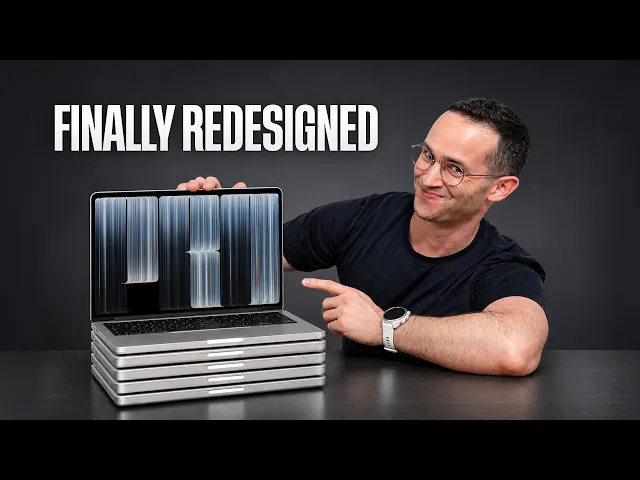
Apple has finally redesigned the MacBook Pro, and there are some meaningful improvements.
The new 14-inch and 16-inch ProLed XDR models are thinner and lighter, yet performance hasn't suffered. Battery life has actually improved, despite Apple using the same processors as the previous generation.
The keyboards feel better, the speakers are more immersive, and the new tandem OLED displays are absolutely stunning.
But there's one thing that concerns me.
These displays have some of the worst PWM flickering characteristics we've encountered, and that could be a problem for people who are sensitive to it.
Then there's the price. These new MacBooks cost $400 more than their predecessors, which were already receiving substantial discounts when we reviewed them.
So, are the improvements worth paying extra for?
Thinner and Lighter, Without Sacrificing Performance
This is the first major MacBook Pro redesign since 2021, and the difference in portability is noticeable.
Both models are smaller and lighter than before, which makes a bigger difference than you might expect.
Speaking personally, I stopped carrying around my MacBook Pro 14 because of its weight and switched to ASUS's ExpertBook Ultra. With this redesign, I'm genuinely considering switching back.

The redesigned MacBook Pros are noticeably lighter than their predecessors, making both models easier to carry around.
There is a minor trade-off in rigidity. The new chassis has slightly more flex around the palm rest and lid, although you really have to push firmly to notice it.
Thankfully, performance hasn't suffered.
Apple is using the same M5 Pro and M5 Max processors as the previous models, and our benchmark results are almost identical.
In Geekbench 6, the new MacBook Pro 14 with the 15-core M5 Pro scored 26,645 in multi-core performance, compared to 26,214 for the previous model.
The new MacBook Pro 16 with M5 Max scored 29,851, compared to 29,229 for the older configuration with the same chip.

The redesigned MacBook Pros maintain virtually identical CPU performance to their predecessors, despite their thinner and lighter chassis.
We saw similarly small differences in graphics performance and video editing benchmarks.
Power consumption and fan noise remained comparable, too. Apple has done an excellent job maintaining performance in a thinner chassis.
The Trade-Off: More Heat Under Heavy Loads
The main downside is that the new MacBooks get warmer under sustained workloads.
For example, the underside of our new 14-inch MacBook Pro reached 49°C during Cinebench, compared to 44°C for the older model with the same M5 Pro configuration.
The 16-inch ProLed model reached 43°C underneath, compared to 41°C for its predecessor.

The new MacBook Pros run somewhat warmer under heavy workloads, with the 14-inch model reaching 49°C on its underside.
That's understandable given the thinner chassis.
Fortunately, during everyday use and moderate workloads, both laptops remain comfortable to the touch.
Battery Life: A Surprisingly Big Improvement
Perhaps the most impressive upgrade is battery life.
I wasn't expecting a significant improvement because the new MacBooks have the same battery capacities as their predecessors.
However, our testing showed noticeably longer runtimes, and we repeated the tests to confirm the results.
One possible explanation is the new OLED display's variable refresh rate. It can drop as low as 10Hz, compared to 24Hz on the previous mini-LED panel.
That could help reduce power consumption during lighter tasks.

The redesigned MacBook Pros deliver improved battery life despite retaining the same processors and battery capacities.
To give you a real-world example, I spent three hours writing this review in a coffee shop on the new MacBook Pro 16.
With the screen at 70% brightness, I used just 9% of the battery.
That's phenomenal for a laptop with this much performance.
It also makes me wonder how much better things could have been if Apple had included its newer M6 Pro and Max processors.
We've already tested the base M6, which uses a more efficient 2nm manufacturing process. Unfortunately, these redesigned Macs still use M5 Pro and Max chips.
Even so, battery life is a genuine reason to consider upgrading.
Tandem OLED: An Incredible Display
The new tandem OLED display is absolutely stunning.
Colors look incredibly vibrant, and the blacks are among the deepest I've seen on a laptop.
The panel retains a fast 120Hz refresh rate while improving considerably on the response times of the older mini-LED display.
That means much less ghosting, particularly when moving between shades of gray.
It also gets exceptionally bright.
I normally use laptop screens around 500 nits, which is close to the maximum brightness of many premium displays.
On these new MacBooks, I rarely needed to raise the brightness above 70%.

The new tandem OLED display offers exceptional brightness alongside vibrant colors and deep blacks.
Is the Nano-Texture Upgrade Worth It?
Personally, I'd skip the nano-texture upgrade for most users.
The standard OLED is already bright enough to combat reflections well in many environments.
Nano-texture helps further reduce reflections, but it can also introduce a slightly grainy appearance, sometimes referred to as the screen-door effect.
Unless you're regularly working in extremely bright environments, I'd stick with the standard display.
PWM Flickering: The Biggest Concern
Unfortunately, there's a significant downside to this otherwise exceptional screen.
Its PWM flickering characteristics are particularly concerning.
PWM, or pulse-width modulation, controls brightness by rapidly varying the display's light output. Some people are sensitive to this and may experience discomfort.
The comparison data is disappointing.
The MacBook ProLed XDR uses approximately 240Hz PWM with a 56% flicker amplitude at the measured brightness levels.
For comparison, the ExpertBook Ultra's tandem OLED operates at 967Hz with a 20% amplitude, while the Yoga Pro 9i reaches 1,200Hz with a 22% amplitude.
Even the Razer Blade 16's OLED shows more favorable measurements.

The ProLed XDR's 240Hz PWM frequency and 56% flicker amplitude are less favorable than the other OLED laptop displays in this comparison.
But does this make the new MacBooks uncomfortable to use?
Not necessarily.
During my first day using them, my eyes started watering and I felt unusually tired. Initially, I wondered whether the display was responsible.
However, I was also experiencing severe allergies at the time, with very similar symptoms.
I delayed the review so I could spend several more days using the laptops. On the second and third days, I didn't experience those problems.
Friends who had purchased the new models also reported no issues.
That doesn't mean the flickering won't bother you. It simply means I couldn't confidently attribute my initial discomfort to the display.
My advice is to buy from a retailer with a good return policy. If the screen causes discomfort, you can return the laptop.
I wouldn't automatically rule out these MacBooks because of PWM, but I certainly wouldn't ignore the measurements.
Touchscreen, Notch, and Face ID
Apple has also introduced touchscreen support, which some people seem very excited about, but I don't tend to use them.
The screen doesn't support Apple Pencil, either, but given that the MacBook isn't a convertible tablet, that doesn't bother me.
More useful for me is the smaller display notch.
This is particularly welcome on the 14-inch model, where menu bar applications previously had limited space and could disappear behind the notch.
Unfortunately, there's still no Face ID.
I'd much rather have that than a touchscreen. Reaching for the fingerprint reader every time I need to authenticate isn't nearly as convenient.
Keyboard and Speakers: Welcome Improvements
MacBook keyboards have been decent for years, but I've generally preferred the typing experience on premium Windows laptops.
Apple has made a subtle improvement with this redesign.
We conducted blind typing comparisons across several generations of MacBook Pro.
The new keyboard feels like it has a more noticeable click when pressing the keys.
It's a small improvement, but it makes typing more enjoyable without increasing keyboard noise.
I'd rate it around 7.5 to 8 out of 10 for comfort. That's closer to the best Windows laptops, although the Yoga Pro 9i and Razer Blade 16 are still more comfortable in my opinion.
The speakers are another improvement.
On the 16-inch model, bass sounds fuller and the stereo presentation feels more immersive, almost as though the sound is wrapping around you.
The downside is that audio loses a little clarity at higher volumes compared to the previous generation.
The 14-inch model offers similar improvements, with slightly louder, fuller, and more dynamic audio.
Overall, these remain some of the best laptop speakers available.
Webcam and Wi-Fi
The webcam also appears to have improved slightly, although the difference isn't dramatic.
Wi-Fi 7 support remains more disappointing.
Apple's N1 wireless chip doesn't support the full 320MHz channel width available with Wi-Fi 7 on the 6GHz band.
That's unfortunate for laptops at this price.
However, real-world performance was still good.
I downloaded a file from our network storage system roughly 50 meters away, through two walls, and achieved around 1.6Gbps.
So, while Apple isn't offering every available Wi-Fi 7 capability, wireless performance should still be more than sufficient for most users.
Conclusion: Should You Buy the New MacBook Pro?
Overall, I think these redesigned MacBook Pros are extraordinary laptops.
Apple has made them smaller and lighter without sacrificing performance, while improving battery life, keyboard comfort, speakers, and display quality.
The combination of performance, efficiency, and portability is particularly impressive.
My MacBook Pro 16 handles video editing more smoothly than my Razer Blade 16, while producing far less fan noise and lasting considerably longer on battery.
The 14-inch model might be even more impressive given how much capability Apple has squeezed into such a compact device.
However, these laptops are expensive, and the new OLED's PWM flickering is a legitimate concern.
MacBook Pro 14: Choose the M5 Pro
For the 14-inch model, I'd recommend an M5 Pro configuration.
The M5 Max doesn't perform as well as I'd like in the smaller chassis, so the additional cost is difficult to justify for most buyers.
The M5 Pro already delivers outstanding performance for programming, productivity, and professional work.
MacBook Pro 16: M5 Pro or M5 Max
For the larger 16-inch model, the decision depends on your workload.
The M5 Pro is already excellent, especially for programming and CPU-heavy applications.
The M5 Max makes more sense for professional video editing, 3D rendering, and other GPU-intensive workloads.
Its biggest advantages are the more powerful graphics and additional media engine rather than a substantially faster CPU.
Don't Overpay for Upgrades
I'd also recommend sticking relatively close to Apple's standard configurations.
Memory and storage upgrades are expensive, and customized configurations often require ordering directly from Apple, potentially missing better retailer discounts.
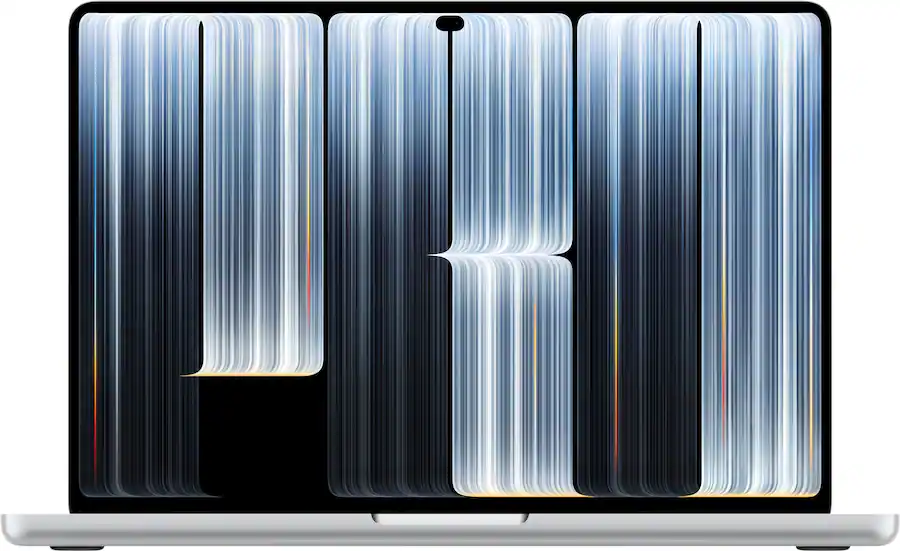
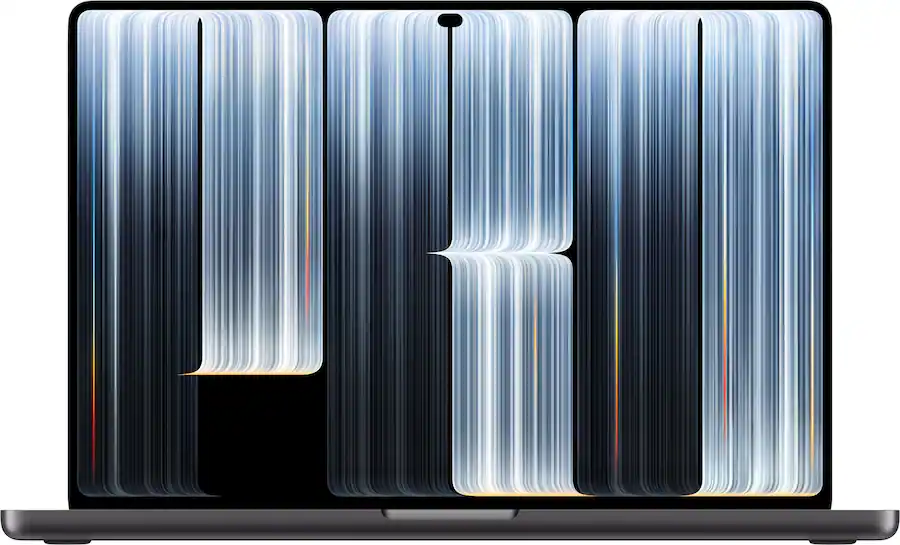
For color, I'd choose silver over Space Black. The darker finish tends to make scratches more noticeable.
And finally, don't overlook the previous-generation MacBook Pros.
Those older mini-LED models are still fantastic laptops. If you can find one at a substantial discount, they may offer better value than the redesigned OLED versions.
Ultimately, the new MacBook Pros deliver meaningful improvements in portability, battery life, and display quality, but whether those upgrades justify the price difference depends on the discounts available.