ASUS ExpertBook Ultra Review: The Best Ultrabook I've Used?
A Lightweight Laptop With MacBook Pro-Level Ambitions
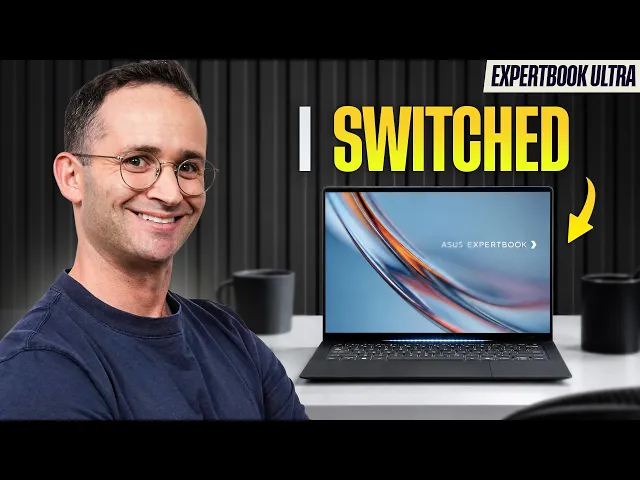
After three weeks of travel and 10 flights, I was impressed enough by the ASUS ExpertBook Ultra to replace my MacBook Pro 14 as my daily driver. At just 2.5 pounds, it combines excellent portability with strong performance, a fantastic matte Tandem OLED display, and one of the most comfortable keyboards I've used.
It isn't perfect, though. Battery life varies significantly with workload, the chassis gets warm under heavy use, and the trackpad has some frustrating quirks. It's also expensive, making its value dependent on what you need from a laptop.
The highlights:
Extremely portable at just 2.5 pounds.
Excellent matte Tandem OLED display with a 120Hz refresh rate.
Comfortable keyboard, impressive speakers, and versatile port selection.
Strong performance for multitasking and integrated-graphics gaming.
Variable battery life and noticeable heat under demanding workloads.
An inconsistent trackpad and a high asking price.
Portability and Display
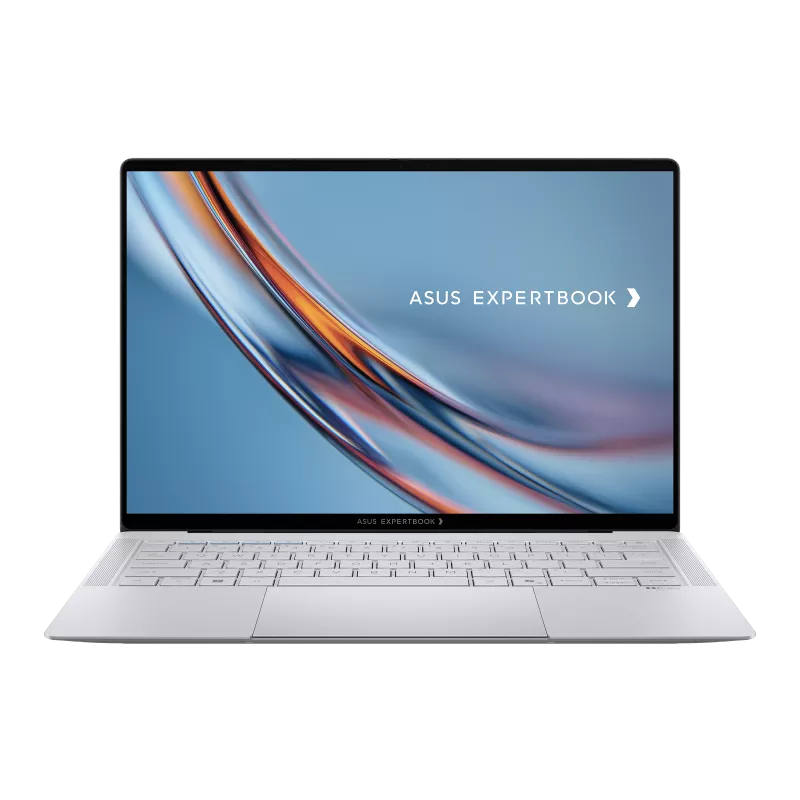
The main reason I took the ExpertBook Ultra on my travels instead of my usual MacBook Pro 14 was its size and weight. At 2.5 pounds, it's lighter than the 13-inch MacBook Air despite having a larger screen.
Its slightly textured chassis feels premium, and the production model looks better than the pre-production unit I tested previously. The front edge is also less sharp than the MacBook Pro's, making it more comfortable to use on cramped airplane tray tables.
The display is another major selling point. Its Tandem OLED panel combines excellent contrast and true blacks with high brightness, while its high resolution keeps small text crisp. The 120Hz refresh rate makes scrolling feel smooth, and the touchscreen is a useful extra.
However, the standout feature is the matte finish. Unlike glossy displays, it minimizes distracting reflections when working near windows, in bright offices, or while traveling. There is a slight graininess to the image, similar to what you get with Apple's nanotexture display, but I found the benefits outweighed this drawback.
For anyone who regularly works in different lighting conditions, this is one of the most practical displays I've used on a laptop.
Keyboard, Speakers, and Ports
The ExpertBook Ultra's keyboard is a highlight. It has more key travel than my MacBook Pro, making long typing sessions more comfortable, and its tactile response feels satisfying without requiring excessive force. The standard layout also makes accidental key presses less likely.
My only complaint is that it's noisier than the ThinkPad X1 Carbon's keyboard. The backlight could be brighter, too, although neither issue significantly affected my experience.
The speakers were an even bigger surprise. They deliver excellent clarity and stereo separation, and I actually preferred them to my MacBook Pro's speakers when sitting directly in front of the laptop.
Port selection is similarly strong. You get a broad range of fast ports, including USB-C charging on either side, which is particularly convenient when traveling. The main omission is an SD card reader, although I don't consider that essential for an ultraportable laptop.
Performance: More Than Just an Office Laptop
The ExpertBook Ultra uses Intel's X7 358H processor, with ASUS allowing it to draw up to 45 watts. Combined with Intel's B390 integrated graphics, this gives the laptop strong performance for its size.
In everyday use, it remained responsive while I wrote scripts, installed software, and synchronized large files in the background. My ThinkPad X1 Carbon, with its lower-tier Ultra 7 355 processor, felt less responsive during similar multitasking.
The laptop also wakes quickly when you open the lid and supports both facial recognition and fingerprint login.
Gaming was another pleasant surprise. The integrated graphics handled the games I played during my travels well, making this a more versatile machine than many ultraportables. Larger laptops and systems with more powerful processors can still outperform it, but they often sacrifice portability.
The result is a laptop that feels capable of handling more than basic office work without becoming a bulky performance machine.
Battery Life and Heat
Battery life is the ExpertBook Ultra's biggest practical compromise.
During light office work with the display brightness turned down, I easily got around eight hours of use. However, when I increased brightness and ran demanding background tasks, such as synchronizing large files through Dropbox, battery life dropped to around four hours. Gaming delivered a similar result.
Four hours of gaming is respectable for integrated graphics this powerful, but demanding users shouldn't expect a full day away from an outlet. I'd recommend carrying a compact USB-C charger if you're traveling regularly.
Heat is another consideration. Under intensive workloads in performance mode, the chassis becomes noticeably warm. It's also important to keep the ventilation openings clear: during one flight, I accidentally blocked them by placing the laptop on its soft carrying case, and it became extremely hot.
On the positive side, the fans were remarkably quiet during my testing. The trade-off is that the laptop can get warm even when fan noise isn't particularly noticeable.
The Trackpad Needs Improvement
Unfortunately, the trackpad is the ExpertBook Ultra's weakest feature.
Although its haptic tracking feels accurate, palm rejection can occasionally fail, causing the cursor to jump unexpectedly while typing. I also found that I sometimes needed to press the trackpad twice for a click to register while gaming.
ASUS has also included gestures that can trigger actions such as changing screen brightness. I found these more frustrating than useful, although they can be disabled in ASUS's software.
None of these problems makes the trackpad unusable, but they're disappointing on such an expensive laptop. The hinge is another minor concern: it holds the screen in place, but it doesn't feel as stiff as I'd like.
Is the ASUS ExpertBook Ultra Worth Buying?
The ExpertBook Ultra's value becomes clearer when compared with its main alternatives.
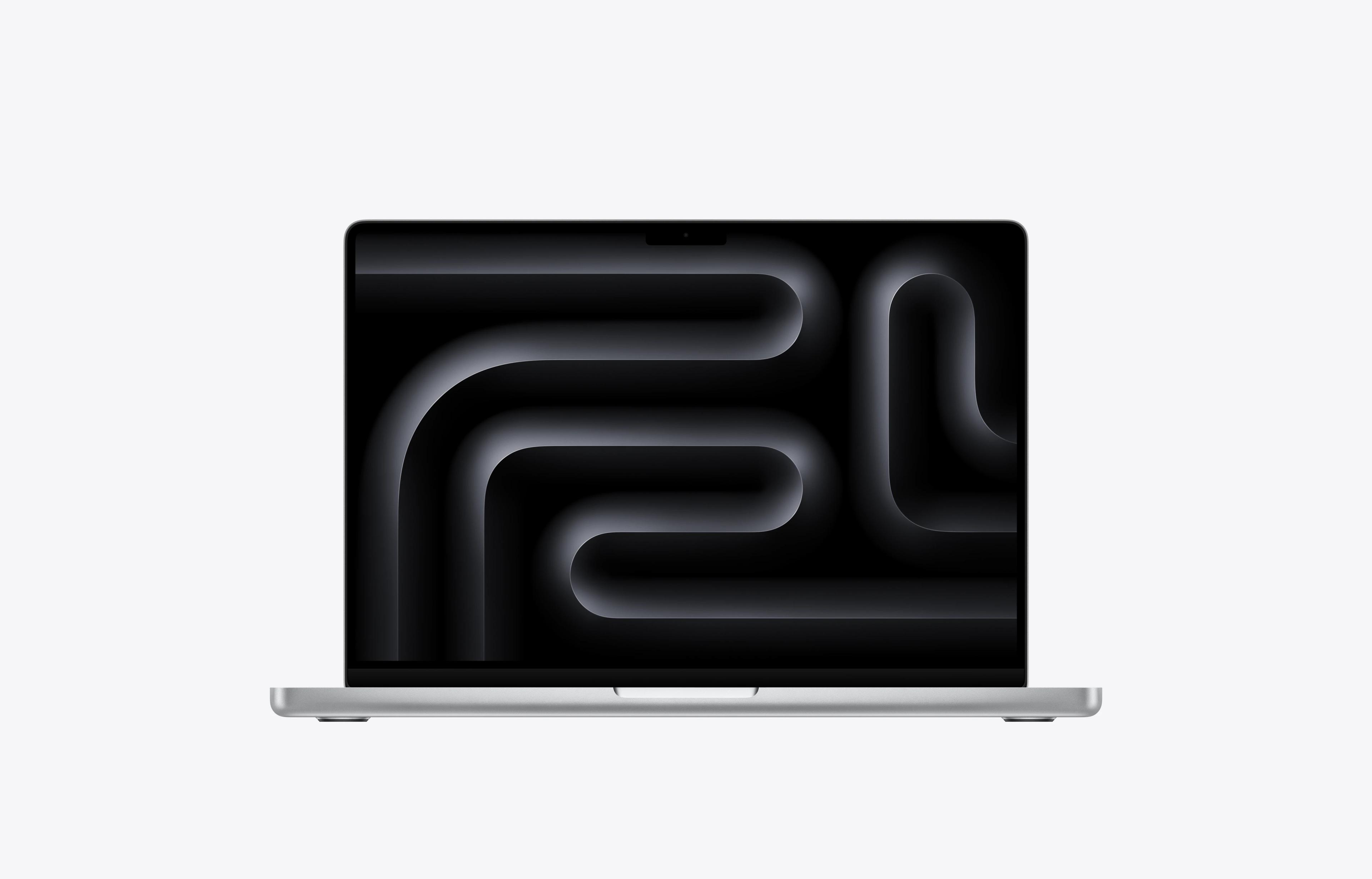
Compared with the MacBook Pro 14, the ASUS is lighter and more portable, with a more comfortable keyboard and a matte display that's better suited to bright environments. The MacBook Pro counters with better battery life and less heat under demanding workloads. I'd choose between them based on whether portability and display usability matter more than endurance.
Compared with the ThinkPad X1 Carbon, the ExpertBook Ultra felt more responsive during multitasking. The ThinkPad remains a relevant competitor, but configuring it with comparable specifications can reduce its apparent price advantage.
Compared with the Lenovo Yoga Slim 7x, the ASUS offers more convenient ports, a less reflective display, and fewer potential application-compatibility concerns thanks to its Intel platform. The Slim 7x can deliver better raw CPU performance with its higher-end 18-core Qualcomm configuration and somewhat better battery life, so it's still worth considering if those advantages matter more to you.
For buyers who want to spend considerably less, I'd look at the MacBook Air. It delivers much of the premium everyday experience for a fraction of the price, making it the more sensible choice for light office work and web browsing.
Conclusion
After three weeks of travel, the ASUS ExpertBook Ultra impressed me enough to become my new daily driver. Its combination of low weight, strong performance, excellent keyboard, impressive speakers, and practical matte OLED display makes it one of the most compelling ultraportable Windows laptops I've used.
Its shortcomings are real. Battery life depends heavily on workload, the chassis gets warm under sustained demand, and the trackpad needs refinement. The high price also makes it difficult to recommend to everyone.
If you're looking for an affordable laptop, the MacBook Air is the more sensible choice. But if you want a premium, exceptionally portable Windows laptop that can handle demanding multitasking and some gaming, the ExpertBook Ultra is a strong contender, particularly when discounted.